Splat II · Deep dive
Systems and Tools
Ghost replay, cutscene system, three-pass culling, the background loader, and the systems I brought forward from earlier work.
The work that does not show up in a gameplay clip. Recording systems, cinematic camera, the culling pipeline, the loading thread, and the prior-year systems I plugged in.
Ghost replay
The recorder writes a binary stream at 30 Hz. Each frame is exactly 56 bytes, the size of this struct:
struct GhostFrame {
    float     timestamp;   //  4 bytes
    glm::vec3 position;    // 12 bytes
    glm::quat rotation;    // 16 bytes
    glm::vec3 anchor1;     // 12 bytes  (left grapple anchor)
    glm::vec3 anchor2;     // 12 bytes  (right grapple anchor)
};                         // = 56 bytes
Anchors are recorded so the rope visuals replay alongside the player, not just the body transform.
File layout
[ uint32 frame_count ][ GhostFrame 0 ][ GhostFrame 1 ] ... [ GhostFrame N ]
Raw memory dump. No compression. A full run of a few minutes lands under 400 KB on disk.
Save policy
on race_finish:
    new_time = current_run.duration
    old_time = read_header(saved_file).duration   // if file exists
    if new_time < old_time or no file:
        write current_run to disk
    else:
        keep saved_file
You always have your best run on disk to race against.
The sync drift bug
Ghost recording and playback were drifting from the actual race start. The longer the race, the further out of sync the ghost looked.
Fix: tie both recording and playback to a fixed time base aligned to the race-start event. Frame-rate variance no longer leaks into the timeline.
Cutscene system
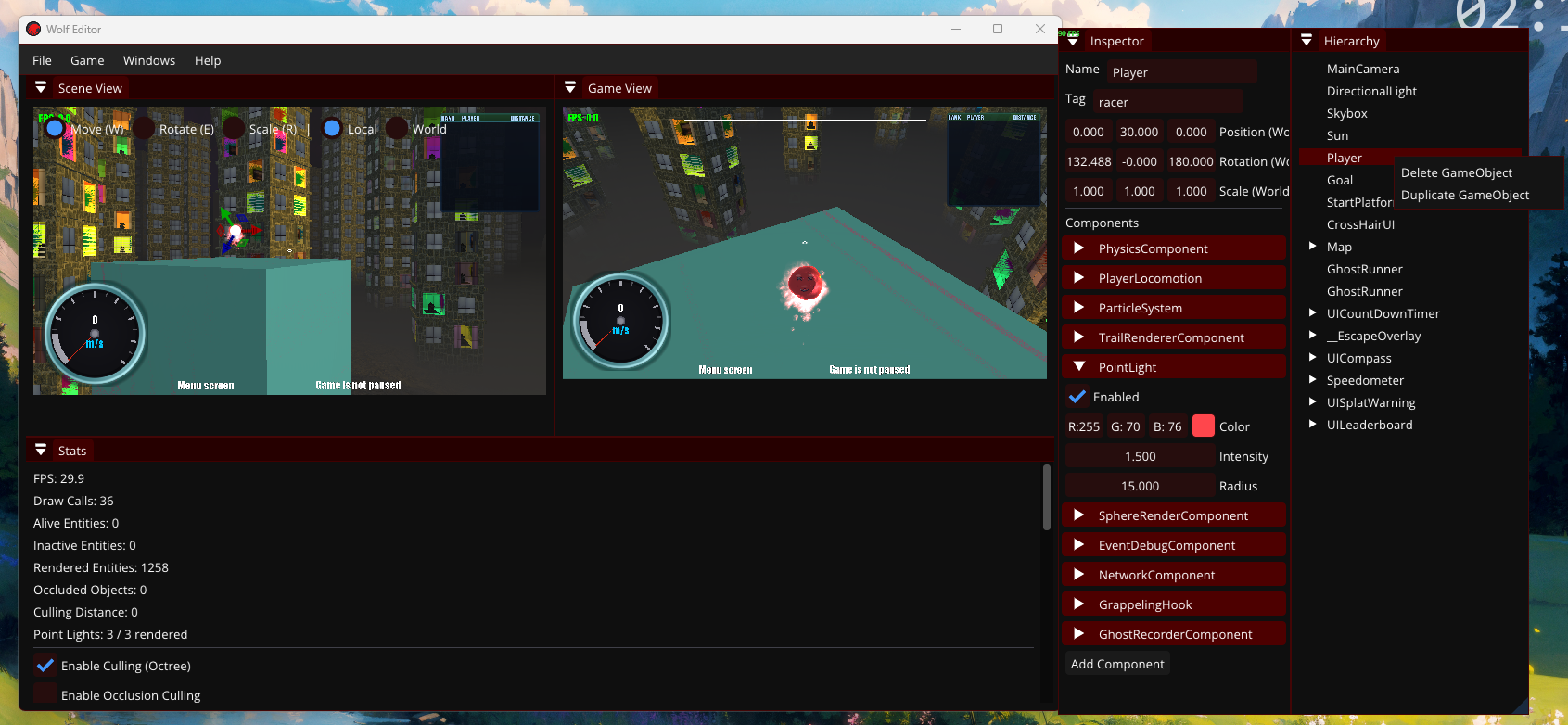
A deque of camera commands that play in order. When one finishes, the next pops.
queue (front to back):
   [ MoveTo intro start  ]
   [ MoveToWithLookAt    ]
   [ FOVChange wide      ]
   [ Wait 1.0s           ]
   [ TransitionToPlayer  ]

each frame:
   front_command.Update(dt)
   if front_command.IsFinished():
       pop()
       front_command.Start()   // next one
Seven command types
| Command | What it does |
|---|---|
| MoveTo | Interpolate position over time |
| MoveToWithLookAt | Position and look target at the same time |
| LookAt | Rotate to face a target, no position change |
| Wait | Hold for a duration |
| FOVChange | Animate field of view |
| CutTo | Teleport instantly |
| TransitionToPlayer | Smoothly return camera behind the player |
Three easing curves are available on the time-based commands.
Arc-length parameterization
Without it, a camera moving along a curved path slows down through sharp turns and speeds up through straight sections, which looks wrong. With it, the camera moves at a constant speed regardless of path curvature.
This pairs with the procedural building route system (see Buildings). The opening flyover follows the real player path, not hardcoded waypoints.
Culling: three passes
all objects in scene
        │
        ▼
┌──────────────────────────┐
│ 1. octree spatial query  │   skip entire regions cheaply
└────────────┬─────────────┘
             ▼
┌──────────────────────────┐
│ 2. frustum culling       │   AABB vs 6 planes, early-out
└────────────┬─────────────┘
             ▼
┌──────────────────────────┐
│ 3. occlusion culling     │   test against 160x90 depth buffer
└────────────┬─────────────┘
             ▼
       visible objects
       (renderer draws these)
Occlusion details
after opaque pass:
   downsample depth buffer to 160 × 90
for each object surviving frustum:
   project AABB to screen space
   sample depth at grid points inside that rectangle
   if every sample shows something closer (with 0.002 tolerance):
       skip object
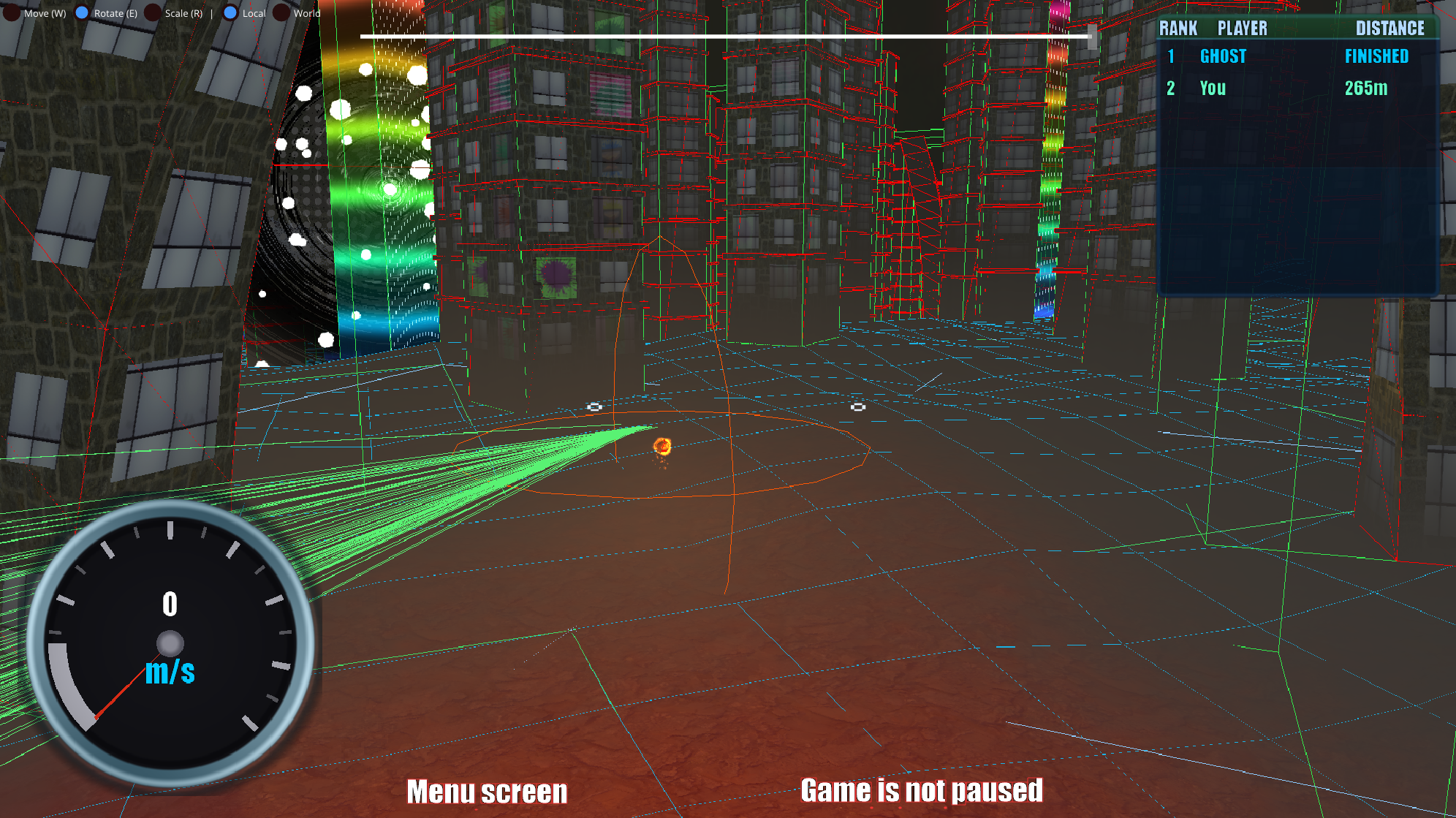
Three bounding-volume types (AABB, OBB, sphere) feed the pipeline. Each computes from geometry and updates on transform change.
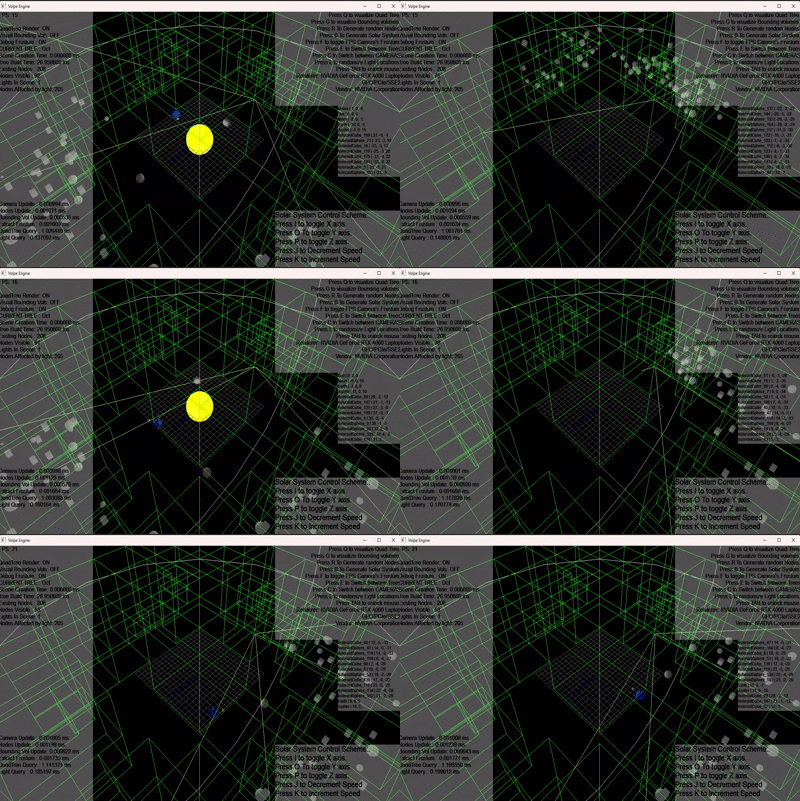
A runtime overlay shows culled vs rendered counts. That overlay is how the major culling bug got found.
Background loader
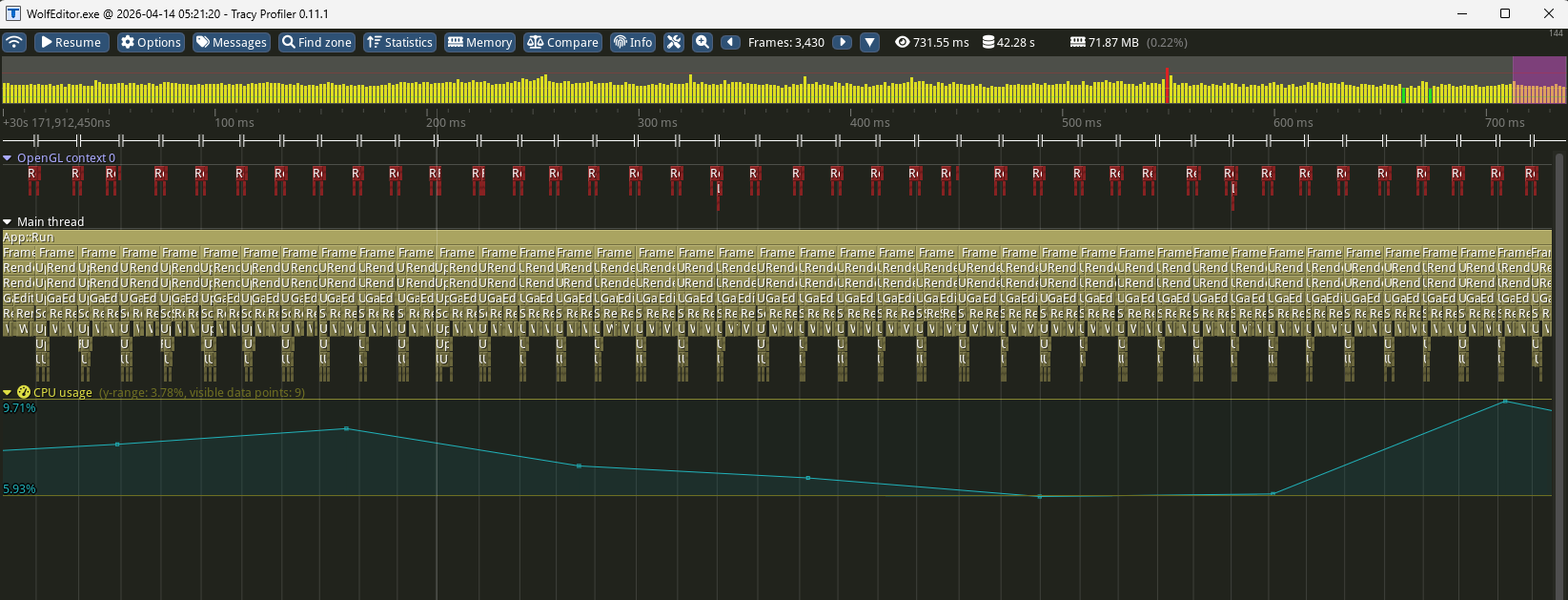
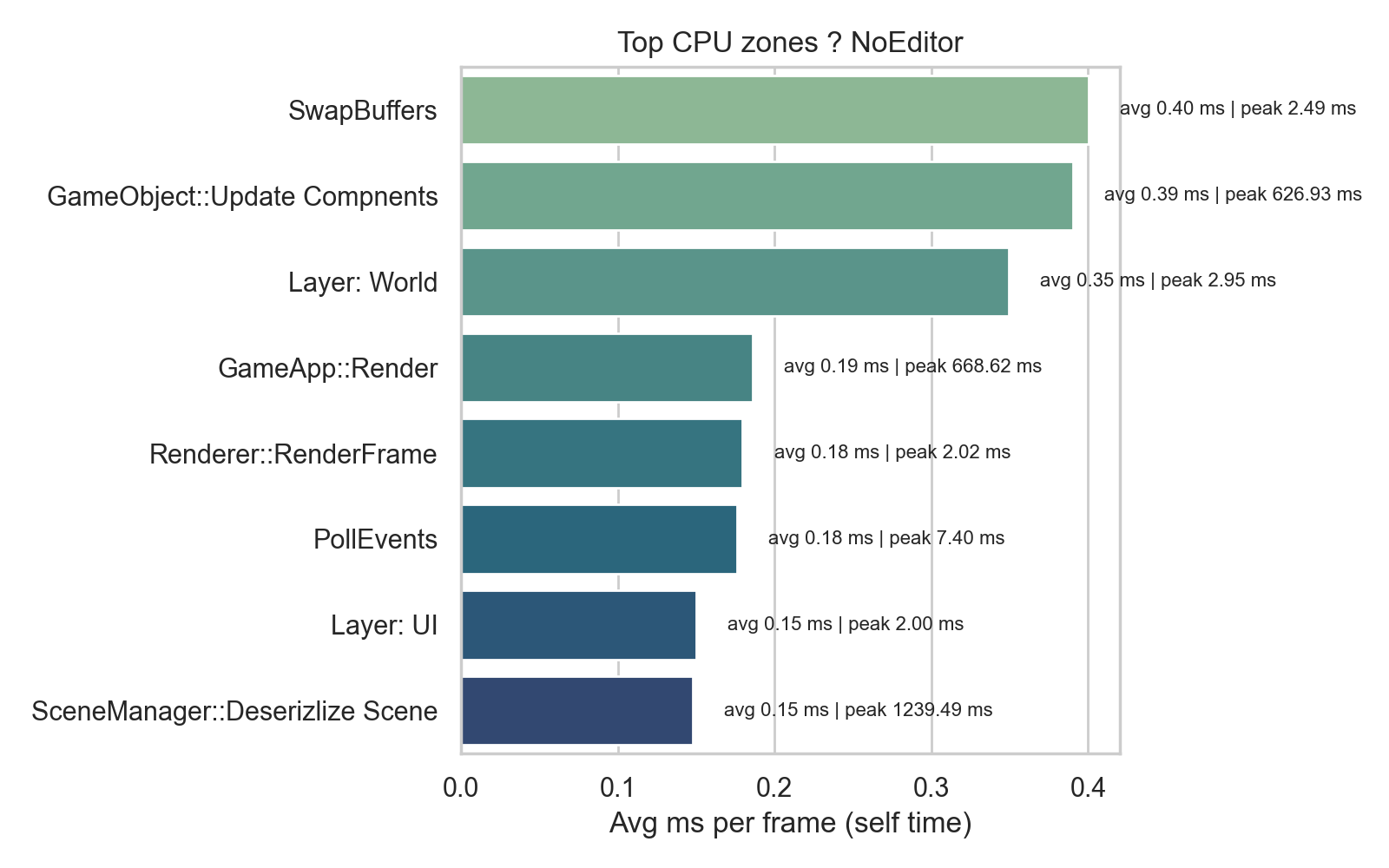
Tracy profiling showed scene initialization was the single biggest performance bottleneck in the engine. Loading a scene froze the game for several seconds every time.
Before
main thread:
   ████████████████████████████████   load assets   (multi-second freeze)
                                       render starts
After
main thread:
   ░░░░  load screen + render every frame  ░░░░
loader thread:
   ████████████████████████████████   load assets   (off the main thread)

main reads progress (0.0 to 1.0 float) and animates the load bar
Single biggest perceived performance improvement in the project.
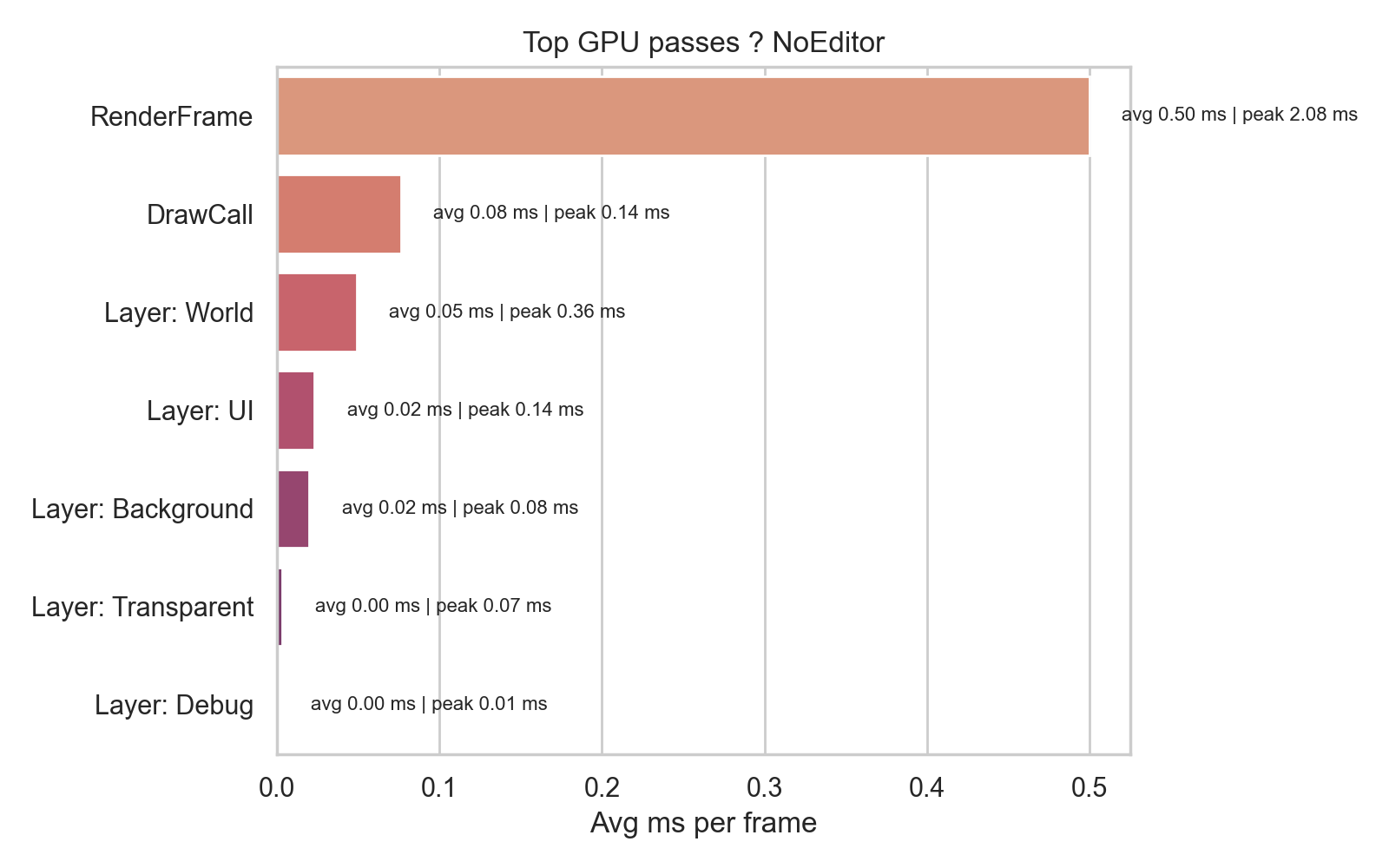
Performance overhaul (Tracy-driven)
Tracy profiling pointed at these issues and I fixed each:
| Finding | Fix |
|---|---|
| Building instancing broken in one path | Instance everything correctly |
| YAML save files hitching on load | Trimmed write surface |
| Coloring logic redundant per frame on terrain | Cached per chunk |
| Per-building culling slower than rendering | Coarsened to chunk granularity |
| Scene init blocking main thread | Background loader (above) |
GPU instancing for buildings dropped draw calls by around 70%.
Settings
Five shadow quality levels, resolution scale, vsync, fps cap, culling distance, audio volume. Persists to YAML between sessions. The same settings drive performance scaling: dropping shadow quality or resolution scale reduces GPU load.
Steam integration
I built the Steam manager that wraps lobbies, leaderboards, and presence into a single module.
Game
 │
 ▼
SteamManager  (conditional on USE_STEAM flag)
 ├── SteamLobbyManager     create / join lobbies
 │       │
 │       └── triggers networking init (host or client)
 ├── LeaderboardManager    upload / download / query
 └── SteamPresenceManager  main menu, in lobby, in match
Tutorial and gameplay gates
Tutorial: step-based progression. Each step has a start position, a video overlay, and a trigger to advance. First version was hardcoded. Rewrote it to be data-driven so steps can be reordered without code changes.
Three gameplay gate components, all event-driven through the physics collision system:
| Component | Behaviour |
|---|---|
| SpeedBoostGateComponent | +30% speed on contact |
| CheckpointGateComponent | Tracks race progress, doubles as tutorial step trigger |
| DeathBlockComponent | Hazard zone, respawn to last checkpoint with cooldown |
Systems brought in from earlier years
Four systems I built in previous years and integrated into Splat II:
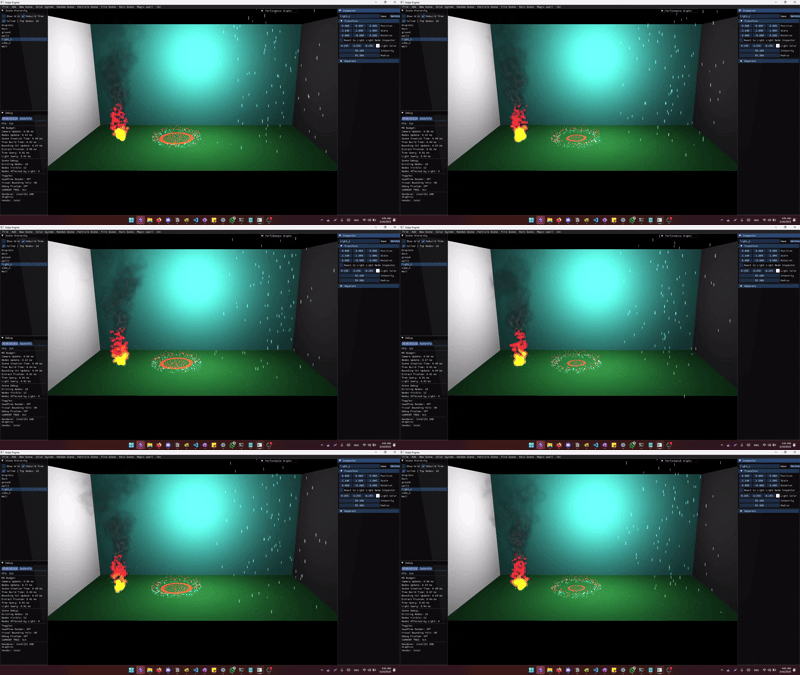
Particle System. Five emitter shapes (point, sphere, donut, cone, box), a stackable affector pipeline (gravity, wind, fade, towards-point), YAML serialization so effects are authored in the editor. Fixed a transparency bug on integration: project particles to view space, sort by Z, then upload.
Text Renderer. Glyph atlases plus screen-space text boxes. Fixed an aspect-ratio bug where text drifted on window resize. Converted into a component so any GameObject can have text.

Debug Renderer. Immediate-mode 3D primitives (lines, spheres, boxes, OBBs) with named togglable layers. This is the system that made culling, physics, terrain, and building bugs findable instead of guessable.
Bounding Volume System. AABB, OBB, and sphere implementations wired into every object type in the engine, plus a wireframe visualizer drawn in real time.
Each one needed minor adjustments to fit Splat II. None close to a rewrite.