Engine module · 2024
GPU Particle System
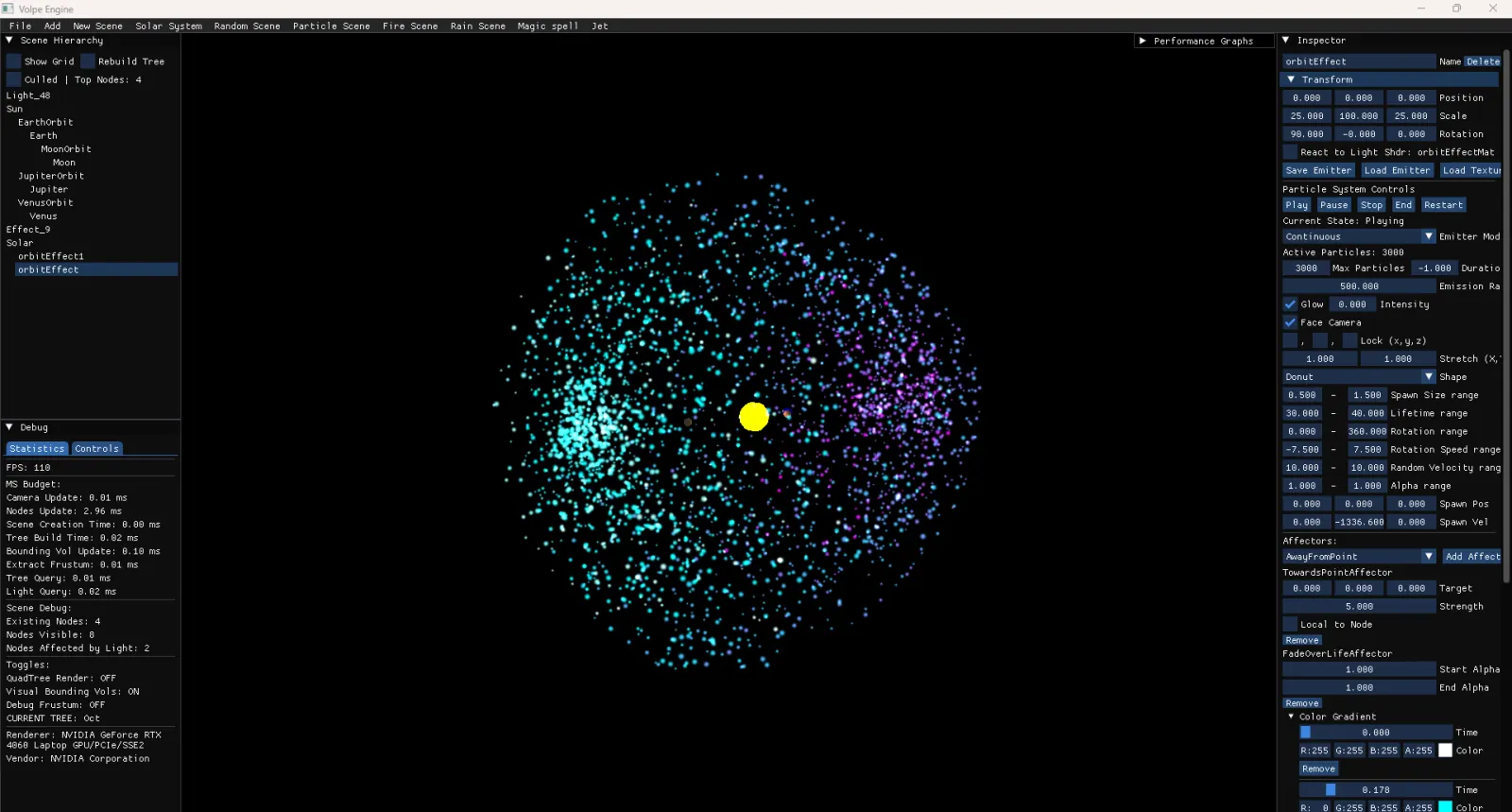
GPU-instanced particle system. Shape emitters, lifetime ranges, color gradients, and pluggable affectors. Effects load from YAML so you can compose multiple emitters into one effect.
OpenGL Particle System simulates thousands of particles with physics-based movement, collisions, and custom shaders for eye-catching effects.
ParticleNode (Emitter)
Represents an emitter in the scene. It holds an optimized array of active particles and spawns new ones according to rules you choose:
- Emission settings: particles per second, maximum particles allowed, and how long to emit for.
- Shapes: point, sphere, box, cone, donut. Defines where in space each new particle is placed.
- Lifetime ranges: minimum and maximum lifetime per particle.
- Size, rotation, and alpha ranges to randomize each new particle’s look.
- Gradients over time for color fading and cool effects.
Under the hood, each ParticleNode runs a spawn-update-render loop:
- Spawning: checks if it needs new particles this frame, generates them, and randomizes their initial properties within the given ranges.
- Updating: for each existing particle:
- Increments its age; if it has outlived its lifetime, it is removed.
- Applies affectors, which might alter velocity, color, scale, etc.
- Moves the particle by updating position or rotation.
- Rendering: sorts the particles (for correct blending) and draws each one as a billboard quad, oriented to always face the camera. The “right” and “up” vectors are calculated from the camera. Supports normal alpha blending or additive/glow-style blending.
Particle
A record of one particle’s position, velocity, color, size, lifetime, etc. Particles come and go according to the emitter’s rules.
Affector
An affector is a plug-in module that modifies each particle over time. Common examples:
- Constant acceleration (e.g., gravity).
- Fade-out by reducing alpha as it ages.
- Scale from small to large from birth to death.
- Towards / away from a point (attract or repel).
- DiePastAxis: kill a particle once it crosses a certain boundary.
Each affector runs its logic on every particle during the update phase. It can be combined with others for complex behaviors. Under the hood, each affector simply changes particle fields like velocity, alpha, or position.
Workflow and Configuration
To use this system:
- Create an emitter node (the system’s primary interface).
- Set emitter parameters: how quickly to spawn particles, what shapes they appear in, how big or colorful they are at birth.
- Attach any number of affectors to shape their motion or color over time.
- Add the emitter node into your scene so it updates and renders.
- Start the emitter, or “play” it. Depending on settings, it will either continuously emit new particles (continuous mode) or spawn large bursts at specific times (burst mode).
Beneath the surface, your emitter’s transformation (position, rotation, scale) can be applied to new or existing particles if you choose local space. If you keep it in world space, the emitter’s own movement only affects future particles.
Under the Hood
- Spawning: a small accumulator tracks how many particles should be spawned based on the emission rate and the time step. Once enough “spawn budget” accumulates, the system creates new particles in the chosen shape.
- Particle array: maintains a
maxParticleslimit to prevent excessive growth. The system reuses the array, removing “dead” particles that exceed their lifetime. - Sorting & billboard quads: just before drawing, the emitter sorts particles by distance to the camera. This ensures correct blending order so transparent particles look right. A small chunk of vertex data is built for each particle: two triangles forming a quad, oriented to face the camera.
- Affectors: each affector’s
Applymethod is called per particle. They have direct access to the particle fields (position, velocity, color) and may combine the emitter’s world matrix to handle local transformations. - Rendering: uses a custom or shared material that can reference a texture (smoke, flame, etc.). If “glow” is on, it switches to additive blending, making each particle’s color add up brightly. If “glow” is off, it uses alpha blending so particles fade with a typical see-through effect.
Loading and Saving
The system supports loading and saving configurations in YAML. An emitter or entire “effect” (with multiple emitters) can be stored in a .yaml file describing:
- Emitter name, shape, rates, color keys, etc.
- Attached affectors (with their relevant fields).
- Optional texture paths.
When you load such YAML files at runtime, the system reconstructs the emitter or effect, no need to hardcode particle setups in your project.
EffectNode for Multiple Emitters
Sometimes you need multiple particle emitters that work together, like an explosion that has sparks, smoke, and shockwave rings. The EffectNode:
- Collects child
ParticleNodes under one parent. - Lets you control them all at once (Play, Stop, Pause, etc.).
- Can load from an
.effect.yamlfile that has a list of child emitters with offsets.
Under the hood, EffectNode is just a scene Node with children that happen to be ParticleNodes. Its “Play” method simply calls “Play” on every child emitter. You can also transform the entire effect as a group.
Key Features
- GPU-accelerated rendering
- Multiple emitter shapes
- Adjustable life cycles, gravity, affectors, and more